Starting point
This room is an investigation of a Windows host after suspected compromise. I used system information to identify the OS, account tools to inspect users and groups, and Event Viewer to trace logons and privileged sessions.
Route through the challenge
A startup entry pointed to a remote IP and a command that ran at boot. That clue was stronger than merely seeing the address in a connection list: it linked the address to a persistence mechanism. The room’s answers and screenshots appear in the walkthrough below.
Outcome and context
whoami identifies the current security context, but it does not prove which user logged on most recently. For that question, inspect the relevant Security log events and timestamps, or the account’s recorded last logon where the room asks for it.
Walkthrough and screenshots
A windows machine has been hacked, its your job to go investigate this windows machine and find clues to what the hacker might have done.
tryhackme.com/room/investigatingwindows
Key
Questions will be Titled with Q:
Answers will be titled with A:
Example:
Q: What is your name?
A: Josh
Let’s get into it
The first question we are presented with is:
Q: What’s the version and year of the windows machine?
Opening up CMD and running systeminfo we are presented with a wall of information but we are interested in “OS name”
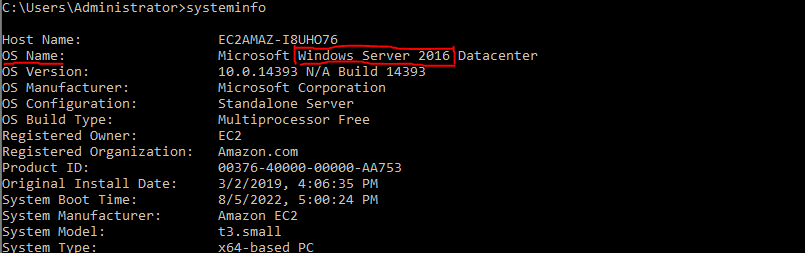
A: windows server 2016
Q: Which user logged in last?
running whoami we can see who we are and as we are currently logged in, we are the last logged-in user.

A: administrator
But what if we are analyzing an offline system? This is where event viewer comes into play. there are two event logs we will want to filter for:
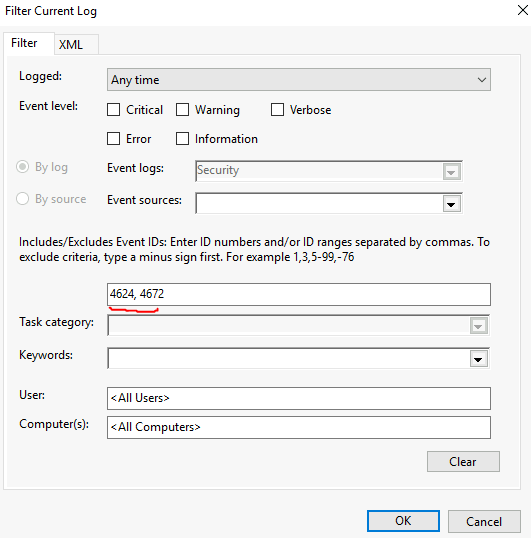
Event ID 4624: An account was successfully logged in
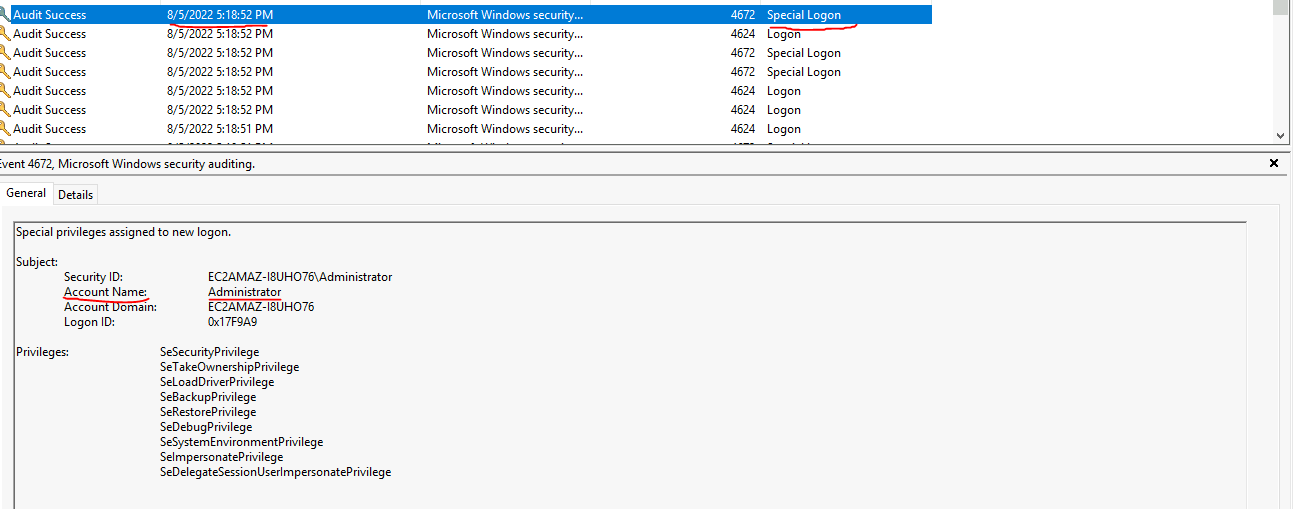
Event ID 4672: Special privileges assigned to new logon
These events will be stored inside of Windows logs -> Security
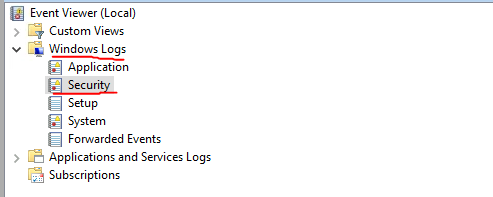
After navigating to the correct logs we will want to filter for the above-discussed event IDs:
Filter by the date and time and then investigate the contents of the event.
Moving on
Q: When did John log onto the system last?
executing net user user in cmd we can see information about our specific user
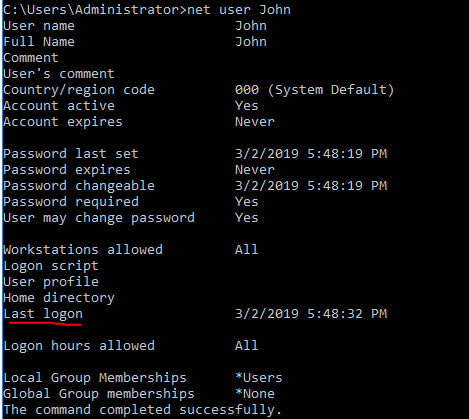
A: 03/02/2019 5:48:32 PM
(change format add 0’s into the date)
Q: What IP does the system connect to when it first starts?
We can investigate the registry and look at things such as “run” and “run once” on 64bit systems, there are two different locations one for 64bit binaries and 32bit binaries. For this challenge, it was located in the 32bit start up
HKEY_LOCAL_MACHINE -> SOFTWARE -> Microsoft -> Windows -> RunC:\TMP\p.exe -s \\10.34.2.3 'net user' > C:\TMP\o2.txt
or we could query start up with wmic
wmic startup list full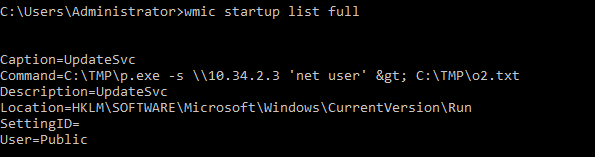
A: 10.34.2.3
Q: What two accounts had administrative privileges (other than the Administrator user)?
Executing net localgroup administrators in cmd will query our local administrator accounts
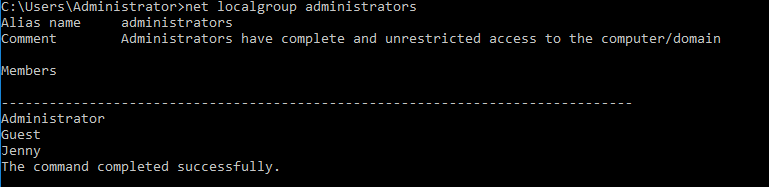
A: jenny, guest
Q: What’s the name of the scheduled task that is malicous.
Opening up the windows task scheduler and looking at the actions we can get an idea of what programs/scripts are being executed and investigate them further for malicious activity
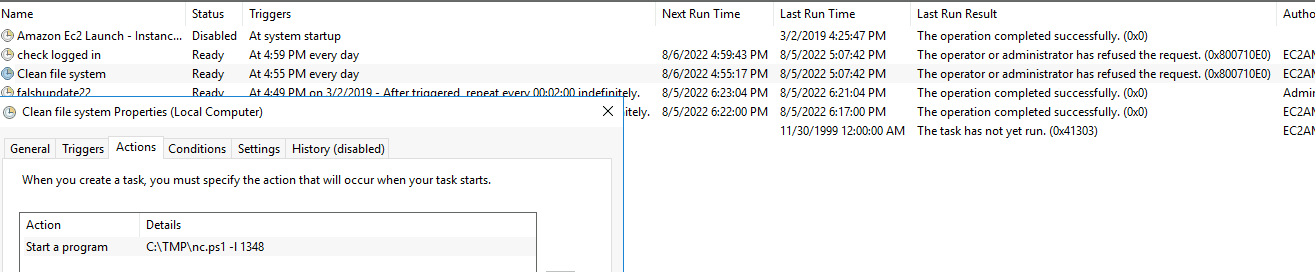
seeing Netcat PowerShell script is not normal in most environments, we can open the script to confirm this.
A: Clean file system
Q: What file was the task trying to run daily?
Referencing the above question we can see in the actions it is attempting to execute nc.ps1
A: nc.ps1
Q: What port did this file listen locally for?
Remaining in the schedule task section we can see that the PowerShell script is executed with -l for listening on the port:
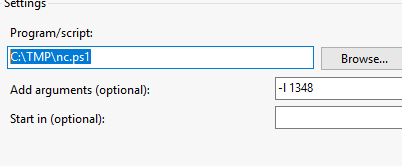
A: 1348
Q: When did Jenny last logon?
Same as our earlier question we use:
net user Jenny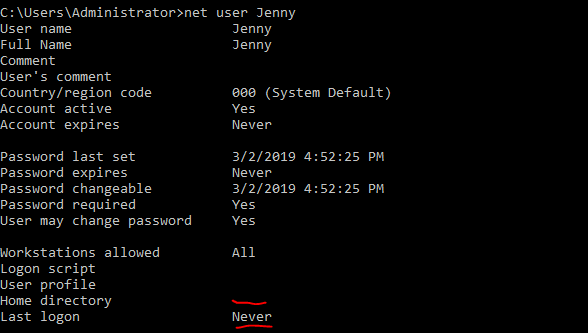
A: never
Q: At what date did the compromise take place?
on the C: drive there is a TMP directory where the threat actor has stored all their tools/scripts/output too. This folder was created on:
A: 03/02/2019
Q: At what time did Windows first assign special privileges to a new logon?
Earlier we used event viewer to filter for two Event IDs we will do this process again but this time we will only filter for 4672 which is the special logon.
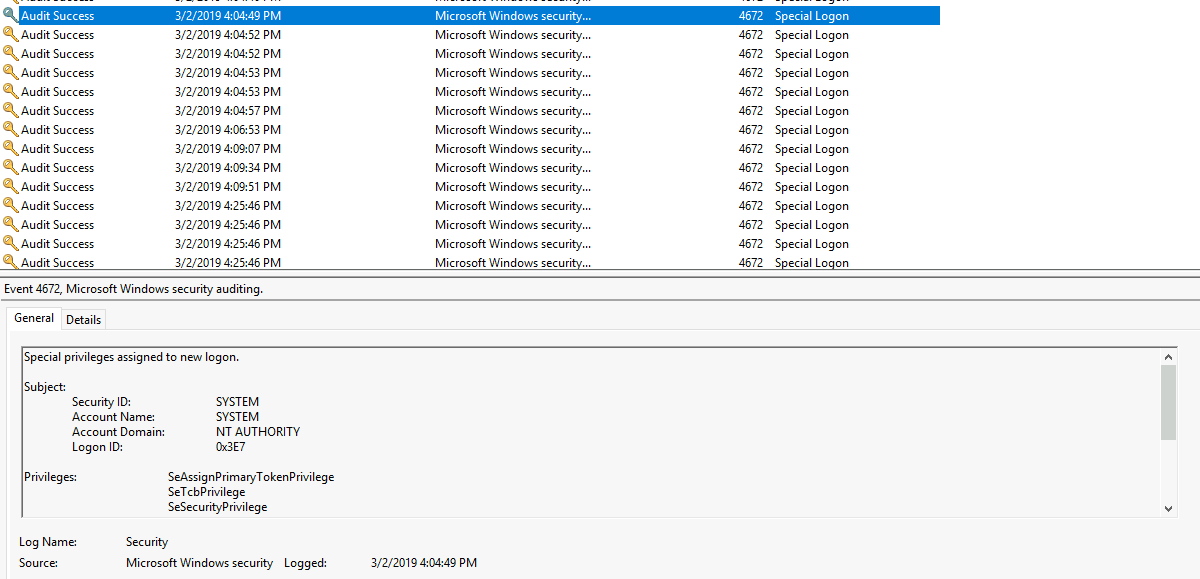
Use the hint for this question as there are earlier logs than this.
A: 03/02/2019 4:04:49 PM
Q: What tool was used to get Windows passwords?
going to C:/TMP there is a log file related to mimikatz. My pre-existing knowledge of mimikatz made this one pretty straightforward forward or you could of read the output files.
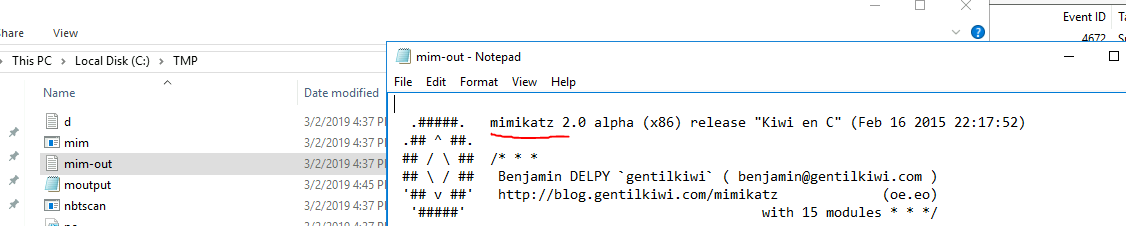
A: mimikatz
Q: When looking at explorer.exe there was recent access to hosts
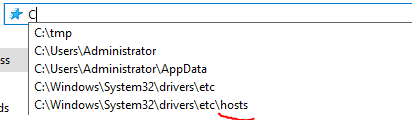
Investigating the host file all the other IPs are local IPs besides the entries for google.com
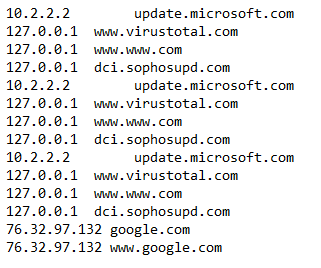
A: 76.32.97.132
Q: Investigating the C: drive I saw inetpup -> wwwroot which indicates the web server files will be here:
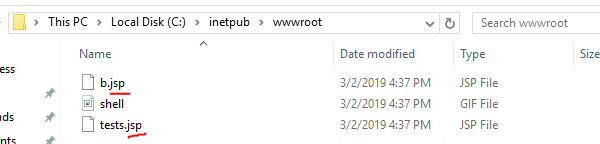
A: .jsp
Q: What was the last port the attacker opened?
Checking our firewall rules the first and most recent entry

A:1337
Q: Check for DNS poisoning, what site was targeted?
Checking our host files like in our previous question we can see an unusual IP which is not related to the regular google DNS
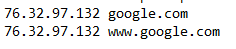
A: google.com